Nameplates · WoW: Forever
Deno Nameplate
Clean, compact nameplates for WoW: Forever with health text, cast bars, level and quest icons, and full size and font options.
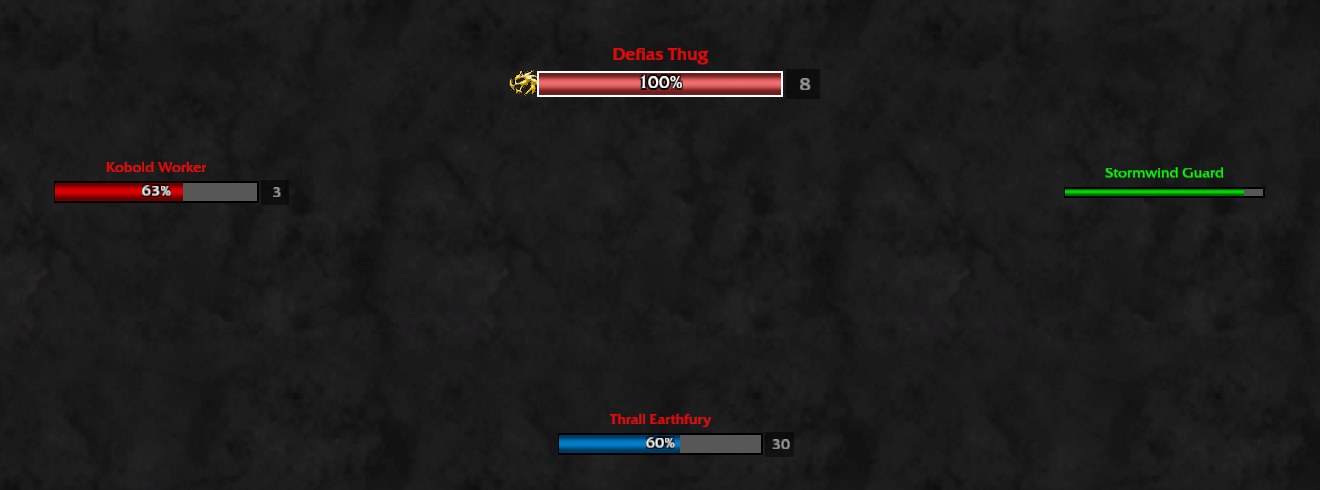
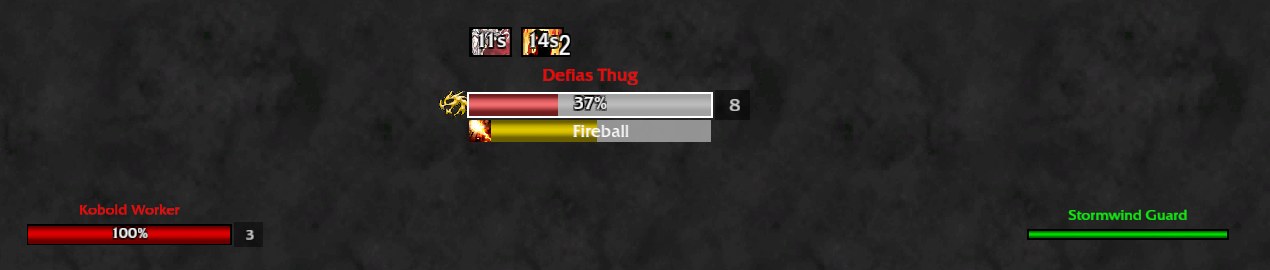
Replaces the default nameplates with clean, compact ones: a slim health bar, the unit's name above it, a cast bar below, and small level, elite, raid marker and quest icons around it. Written from scratch for World of Warcraft: Forever and its addon rules.
What it does
Friendly and enemy settings are separate
, each with its own page.
Health bar
Width, height, bar texture, background color.
Health text
In five formats: current, current / max, percent, current / max - percent, or missing health.
Cast bar
With spell icon, and a shield for casts that cannot be interrupted.
Level indicator
Colored by difficulty, a skull for bosses, gold and silver icons for elite and rare-elite units.
Raid target icon
And quest objective icon (left, right or above the name).
Colors
Class colors for players, the game's reaction colors for everything else, grey for units tapped by someone else, red plus a highlight on enemies you have threat on.
Your debuffs
Above enemy nameplates.
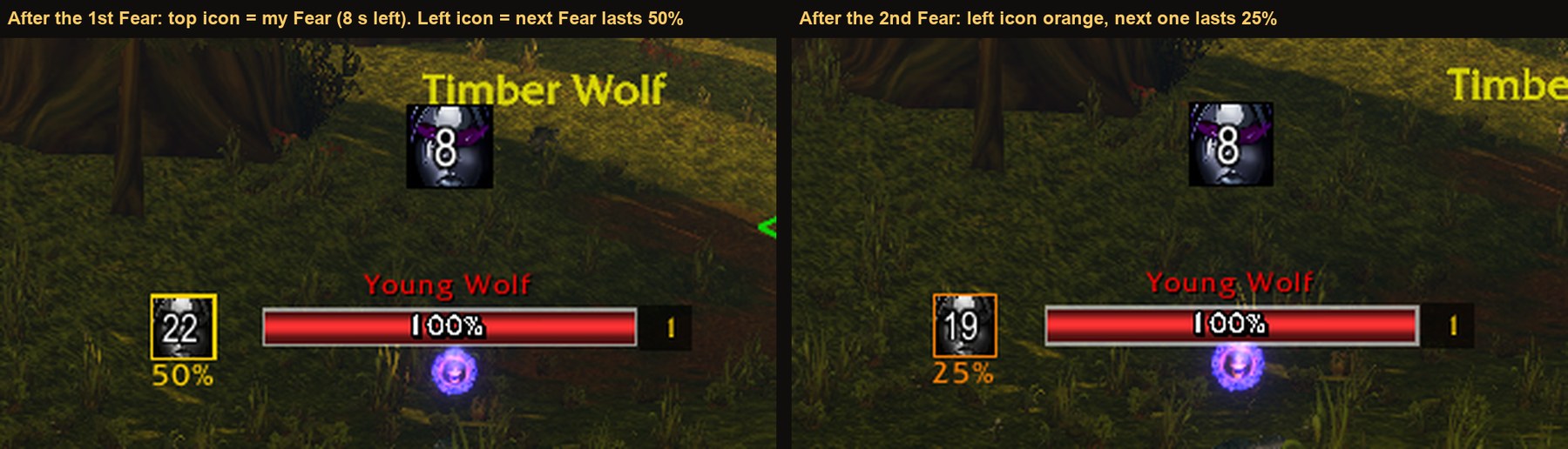
Crowd control
(Fear, Polymorph, Sap, stuns ...) as a larger icon over the middle of the enemy plate, with the proc glow and a red number in its last seconds (3 by default, 1 to 10). Yours and every other player's, on every enemy with a visible nameplate.
Execute colour
An enemy bar turns orange under a health percent you set (25 by default).
Removable enemy buffs
Magic buffs that can be dispelled, purged or stolen, in a blue frame beside the plate.
Target
A larger plate (adjustable scale) with a highlight and a bright border.
Classic style
An optional bordered look with a fixed size.
Clickable area
Width and height of the click box, with a toggle that draws the box so you can see it.
View distance
How far away nameplates show, up to the game's maximum of 60 yards.
Fonts and textures
A built-in set; LibSharedMedia entries are added when another addon provides that library. No library is required.
Minimap button
That opens the options; it can be hidden.
Pictures


Install
- Download the zip from the latest release, or install it from CurseForge.
- Extract the
DenoNameplatefolder intoWorld of Warcraft\<Forever folder>\Interface\AddOns\. - Restart the game.